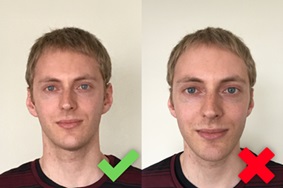
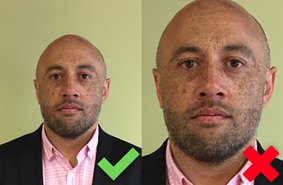
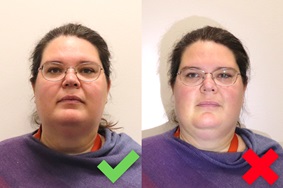
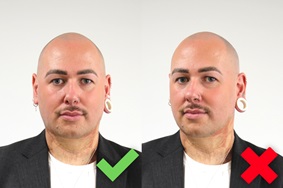
You can use a professional passport photo service or take a photo with your own device. Your application may be delayed if your photo doesn't meet the requirements.
The photographer should print the photo for a paper application or email the photo for you to apply online. Scans of printed photos will not be accepted.
Taking a photo with your own device
Selfies will be rejected. Photos taken too close can distort your face, making your nose and forehead appear larger and your ears less visible.
If the photo looks distorted, step back and take a wider shot, including your shoulders, then crop it to the correct head-size before submitting.
The photographer should:
stand 1.5m away
hold the camera at your eye level.
There must be a clear gap around the sides and top of your head. Your shoulders and upper chest should be included in the photo.
There must be a strong contrast between your face and the background, and no shadows or objects behind your head.
You should:
stand at least half a metre in front of the background
use a plain, light-coloured background.
Your face must be fully visible, not tilted or turned to the side. Your hair must be out of your eyes, and away from your face.
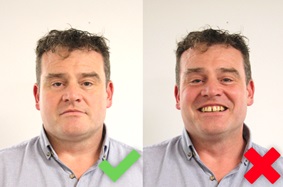
Your mouth must be closed and your eyes open.
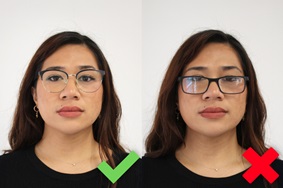
You can wear prescription glasses in your photo if they are not tinted or thick-framed. You cannot wear sunglasses.
If you wear glasses in your photo, make sure:
there is a clear gap between your eyes and the frames
there is no glare or reflection on the lenses.
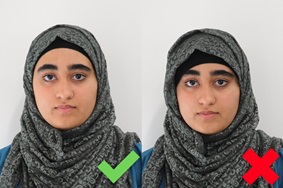
You can only wear a head covering in your photo for religious or medical reasons. If you do wear a head covering, your face must be fully visible.
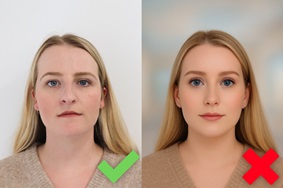
Your image must show your natural appearance. Do not edit, apply filters, or use AI tools to modify how you look.
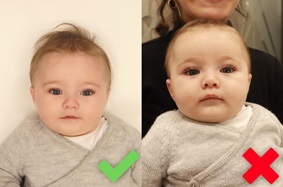
Lay your baby on a plain, light-coloured sheet and take the photo from above. The photo should show the baby's entire face with their eyes open. No other people or objects should be visible.
Video guide for smartphones
If the person taking your photo is using an iPhone or Samsung, check out our tips in the videos below.
<iframe width="480" height="270" src="https://www.youtube.com/embed/MwPW_qYvKqE?feature=oembed" frameborder="0" allow="accelerometer; autoplay; clipboard-write; encrypted-media; gyroscope; picture-in-picture; web-share" referrerpolicy="strict-origin-when-cross-origin" title="How to Take a Passport Photo with Your iPhone"></iframe>
<iframe width="480" height="270" src="https://www.youtube.com/embed/lQZrcRUjM7U?feature=oembed" frameborder="0" allow="accelerometer; autoplay; clipboard-write; encrypted-media; gyroscope; picture-in-picture; web-share" referrerpolicy="strict-origin-when-cross-origin" title="How to Take a Passport Photo with Your Samsung"></iframe>